- 安装
https://github.com/laracasts/flash该扩展用于方便的输出提示信息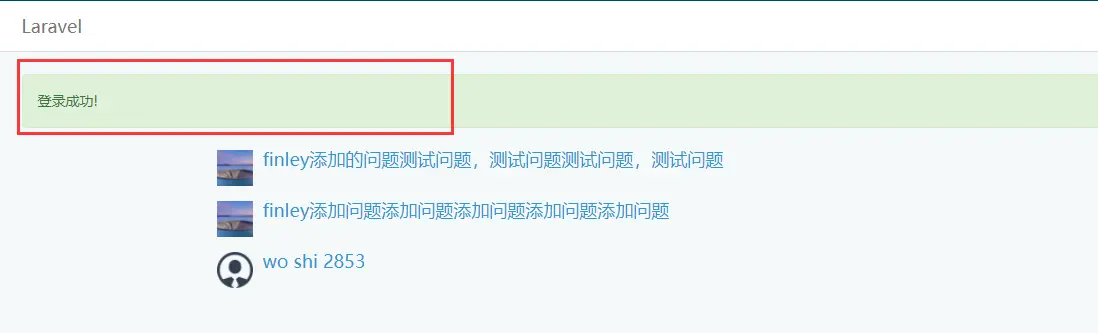
- 复写登录逻辑,因为给user表新增了is_active字段 打开
\app\Http\Controllers\Auth\LoginController.php大致添加如下:
php
    /**
     * Handle a login request to the application.
     *
     * @param  \Illuminate\Http\Request  $request
     * @return \Illuminate\Http\RedirectResponse|\Illuminate\Http\Response
     */
    public function login(Request $request)
    {
        $this->validateLogin($request);

        // If the class is using the ThrottlesLogins trait, we can automatically throttle
        // the login attempts for this application. We'll key this by the username and
        // the IP address of the client making these requests into this application.
        if ($this->hasTooManyLoginAttempts($request)) {
            $this->fireLockoutEvent($request);

            return $this->sendLockoutResponse($request);
        }

        if ($this->attemptLogin($request)) {
            Flash::success('登录成功!');
            return $this->sendLoginResponse($request);
        }

        // If the login attempt was unsuccessful we will increment the number of attempts
        // to login and redirect the user back to the login form. Of course, when this
        // user surpasses their maximum number of attempts they will get locked out.
        $this->incrementLoginAttempts($request);

        return $this->sendFailedLoginResponse($request);
    }

    /**
     * Attempt to log the user into the application.
     *
     * @param  \Illuminate\Http\Request  $request
     * @return bool
     */
    protected function attemptLogin(Request $request)
    {
        $credentials = array_merge($this->credentials($request), ['is_active' => 1]);
        return $this->guard()->attempt(
            $credentials, $request->has('remember')
        );
    }